How long the baby’s been awake
Home counts the time since the last sleep and feed. You can start a sleep or log a feed right there.
A baby care journal for iPhone
When the baby last slept, how much they ate, who changed the diaper. BeMomsy remembers it for you.
 Ron5 mo. 12 d.
 Awake
25 min
2 sleeps · 2 h 40 min
2 feeds1 1
2 diapers
 Sleep
25minago
duration
1 h 25 min
 Bottle
2h 40minago
formula
150 ml
Walk
Bath
Diaper
Pumping
 Sleep1h 25m · WW 2h 10m
 Solid foodCauliflower · Liked it
App screens with fictional data.
Each event has its own fields: the breast side, the bottle amount, the food you introduced, the temperature.
 Sleep
 BreastfeedingBottle
 Solid food
 Pumping
 Diaper
 Potty
 Walk
 Bath
 Tummy time
 Weight
 Length
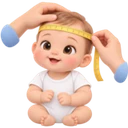 Head circumference
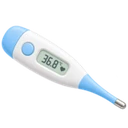 Temperature
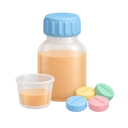 Medication dose
 Illness
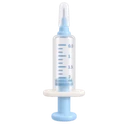 Vaccine
 Doctor visit
 Tooth
 Milestone
 Mood
 Other
Home shows what’s happening right now. The journal keeps your records by day, and statistics add them up over a week or longer.
Ron5 mo. 12 d.
Awake
25 min
2 sleeps · 2 h 40 min
2 feeds1 1
2 diapers
Sleep
25minago
duration
1 h 25 min
Bottle
2h 40minago
formula
150 ml
Walk
Bath
Diaper
Pumping
Sleep1h 25m · WW 2h 10mSolid foodCauliflower · Liked itHome counts the time since the last sleep and feed. You can start a sleep or log a feed right there.
Time, amount, a note. Records go into the journal by day, and you can search for any of them and fix it.
How much the baby sleeps a day, how many feeds and diapers there were, how the weight changes. It’s all counted from your records.
Under the field, each record has its own scale: the bottle fills up, the scale’s needle turns, the baby grows against the ruler. Below it you see the last value and the difference.
Drag the scale on the screen. Arrow keys work too.
Widgets on the Home Screen and the Lock Screen show how long it’s been since a feed, a sleep or a diaper change. A running sleep shows in the Dynamic Island and on the Lock Screen, and you can stop it right there.
2h 101:23:18
2 hr, 10 min

Vitamin Dnow
Ron
One drop after a feed
Sleep · Ron
Active now
Ron5 mo. 12 d.OctoberAll
Sleep
25minago
duration
1 h 25 min
Bottle
2h 40minago
formula
150 ml
A reminder can have a time, repeat every day or have no date at all. Without a subscription, reminders are personal and stay on your iPhone. With BeMomsy+ they’re shared, and every adult in the family sees them. From the notification you can mark one done or snooze it for 15 minutes or an hour.
When another adult takes over, you don’t have to walk them through the whole day. Invite them to your family: the records are shared, and everyone has their own account.
A nanny fits the helper role: they keep the records but don’t manage access. A consultant, such as a sleep specialist, only views the journal, statistics and reports.
The family is included in the BeMomsy+ of whoever created it.
Ron5 mo. 12 d.I answer from the records and draft new ones
The Assistant doesn’t diagnose or prescribe. If you’re worried, call your doctor.
Over the last 7 days — 11 h 1 min of sleep a day on average: about 9 h 40 min at night and 1 h 20 min in the day.
Average per day · October 22–28
Open in Statistics
Check the time and amount, then add it to the Journal.
BottleDraftTime14:30–14:45
Amount120 ml
Correct in chatDiscard
Bottle120 mlAdded to JournalOpen
The Assistant answers questions about sleep, feeding and development, with your child’s records in mind. Say “bottle, 120 ml” and it drafts the entry. You decide whether to save it.
Answers are generated by AI and can be wrong. Don’t use them for diagnosis, treatment or dose calculations.
Pick a period and the events you need: sleep, feeding, growth, temperature, medication. BeMomsy turns them into a PDF you can show or send to your doctor.
The report is made of your records. It isn’t a medical assessment.BeMomsy+ is for keeping the journal with your family, seeing statistics beyond a week and asking the Assistant.
Free forever
 All records and timers
 Personal reminders on your iPhone
 7-day statistics
 Backup and export
Monthly or yearly
 Sync across your devices
 Family: up to 6 adultsShared reminders
 Charts for a month and three months
 What changed over two weeksA PDF report for the doctor
 The Assistant and voice input
Billed through Apple. The app shows the price and any free trial before you pay.
Without cloud features, your journal isn’t sent to BeMomsy’s servers. Cloud sync and the Assistant turn on only after you agree.
Yes. Records, timers, personal reminders on your iPhone, 7-day statistics, backup and export are free for good. BeMomsy+ adds cloud sync, family access, shared reminders, charts for a month and three months, the doctor report and the Assistant.
For the first sign-in, yes. After that you can record offline. Syncing with family and the Assistant only work online.
The family owner sends an invitation code. Each adult has their own account and a role: parent or relative, helper, or consultant who can only view. A family has up to 6 adults, and invited adults don’t need their own subscription.
In iPhone Settings: your name → Subscriptions → BeMomsy. Deleting the app or your account doesn’t cancel it. You keep access until the end of the paid period.
Delete the account in the app: Settings → Profile and sign-in → Delete account. Settings → Backup and export saves a copy of your data. For other data requests, email support@bemomsy.com.
BeMomsy is getting ready for the App Store. A download link will appear on this page once it’s out.
In Russian and English.
Coming to the App Store



 Invite someone close